كيفية كتابة أوامر AI باستخدام BeConverter: الهندسة العكسية لأي عنصر مرئي في 4 خطوات
ارفع صورة إلى BeConverter، واترك نموذج الرؤية واللغة (VLM) يُفكّك العنصر المرئي إلى رموز أسلوبية، ثم انسخ الأمر المستخرج إلى Midjourney أو Stable Diffusion أو FLUX. هذه هي العملية الكاملة لتحويل أي عنصر مرئي إلى أمر AI قابل لإعادة الاستنتاج—بدون أي تخمين.
ما هي الهندسة العكسية للأوامر وكيف يعمل BeConverter؟
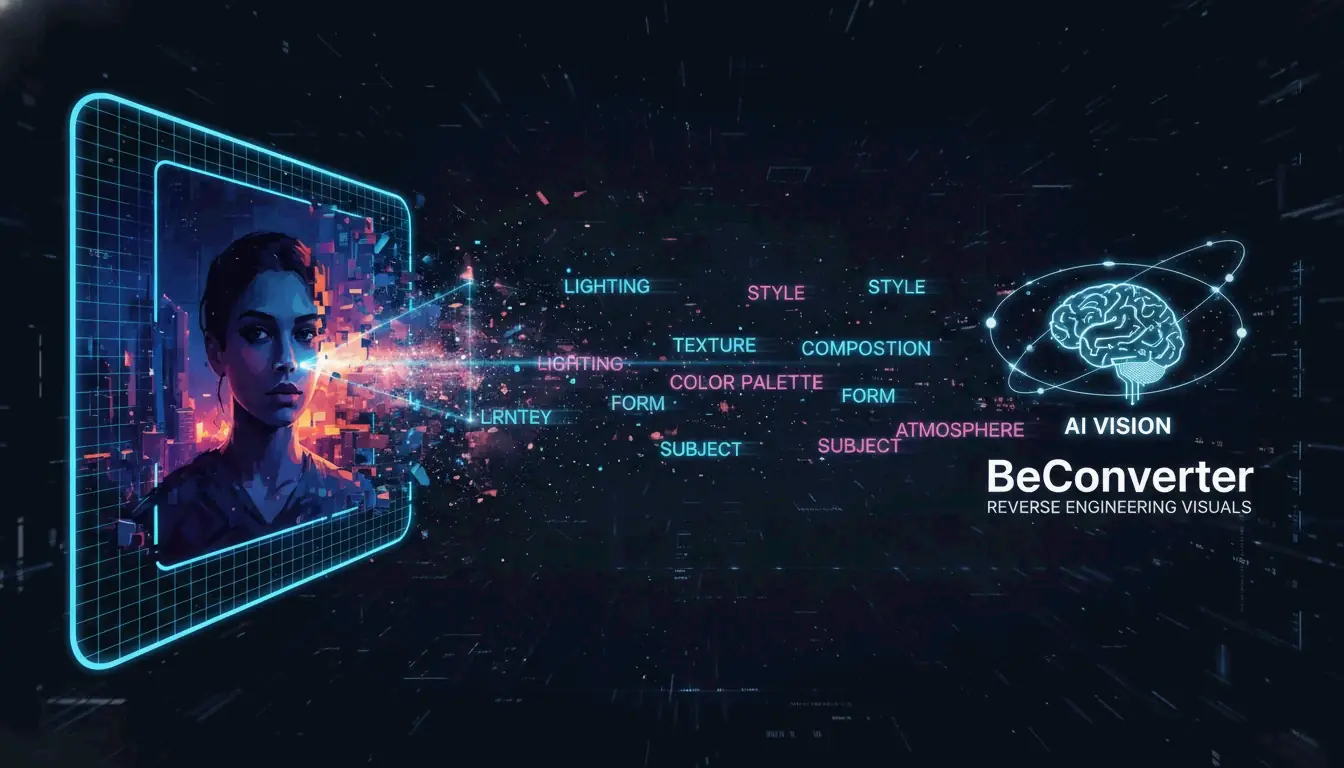
الهندسة العكسية للأوامر تحوّل البكسلات обратно إلى نص يمكن لنموذج توليدي فهمه. بدلاً من كتابة أمر من الصفر والأمل في أن تتطابق النتيجة مع مرجع معين، تبدأ بالصورة النهائية وتستخرج الكلمات المفتاحية الدقيقة وظروف الإضاءة والوسوم الجمالية التي تحدد مظهرها.
يستخدم BeConverter نموذج الرؤية واللغة (VLM) لتحليل الخصائص الفنية للصورة. يُقارن النموذج صورتك مع بيانات التدريب الخاصة به لتصنيف السمات مثل أسلوب العرض (ثلاثي الأبعاد مقابل لوحة زيتية) وإعداد الإضاءة (حجمية مقابل محيطية) والتكوين. النتيجة هي أمر نصي مُهيكل يمكنك إدخاله في أي مولّد صور.
VLM مقابل OCR: لماذا لا يمكن للمسح التقليدي قراءة الفن
التعرف البصري على الحروف (OCR) يقرأ النصوص—حروف وأرقام وإيصالات. أما VLM فيقرأ التوجيه الفني. كما يوضح PromptsEra، حيث يرى OCR كلمة “STOP” على لافتة، يكتشف VLM الشكل الثماني والطلاء الأحمر الباهت وعمق الميدان وزاوية الشمس—تفاصيل ضرورية لإعادة الإنتاج البصري.
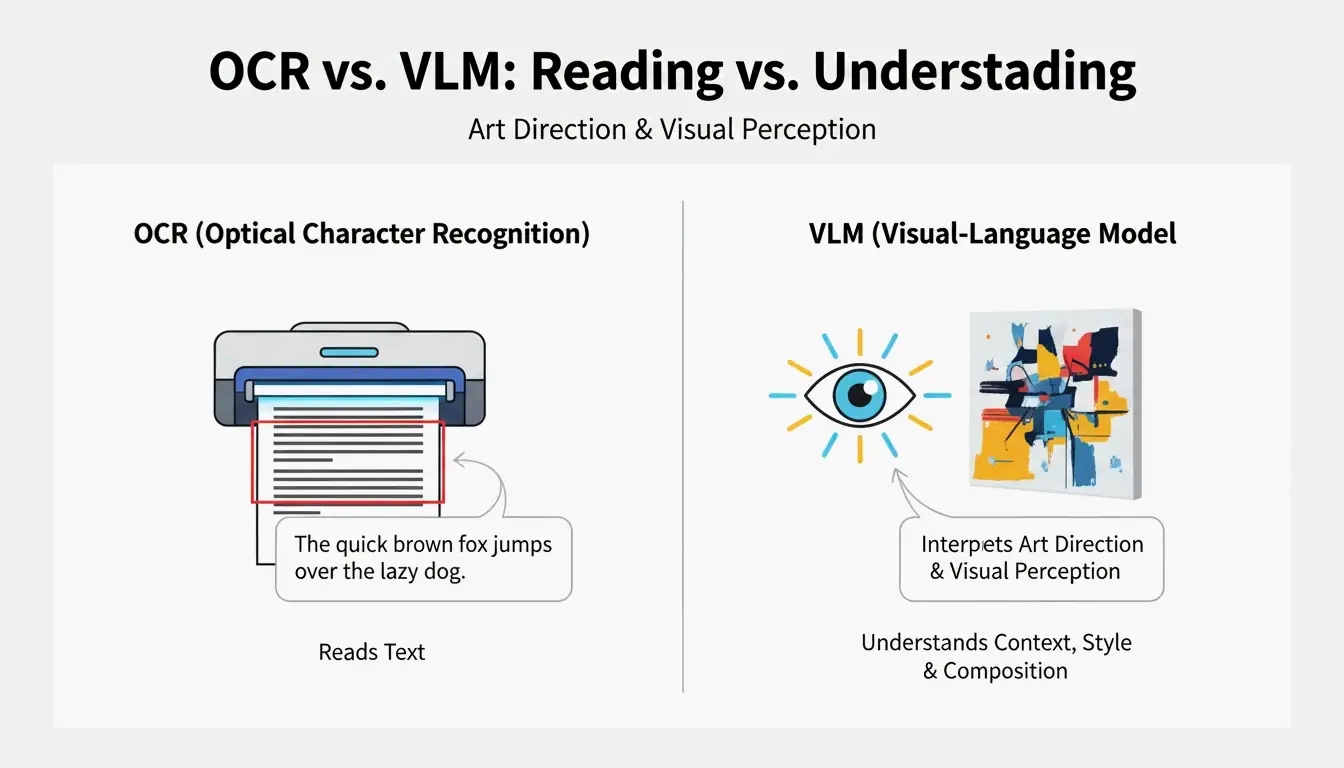
| القدرة | OCR | VLM |
|---|---|---|
| يقرأ النصوص | نعم | محدود |
| يُحدد الإضاءة | لا | نعم |
| يكشف أسلوب التكوين | لا | نعم |
| يستخرج درجات الألوان | لا | نعم |
| يُخرج نصاً جاهزاً للأوامر | لا | نعم |
عملية العمل في 4 خطوات: كيفية كتابة أوامر AI باستخدام BeConverter
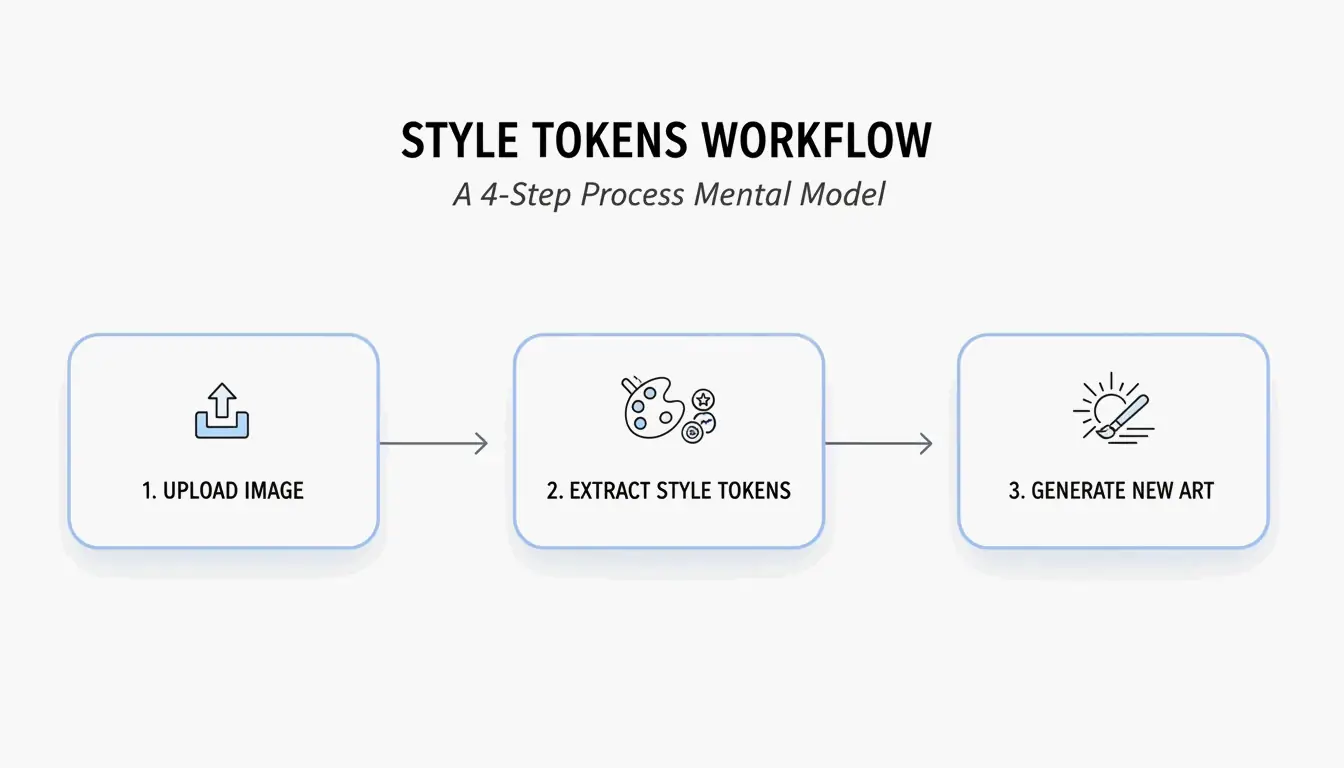
بناءً على استراتيجية عزل الرموز الأسلوبية من PromptsEra، اتبع هذا التسلسل:
- ارفع صورتك المصدرية — استخدم ملفاً بدقة عالية. يحتاج VLM إلى بكسلات واضحة لكشف السمات الدقيقة مثل “إضاءة حجمية” أو “تحبب عدسة 35 مم.”
- اختر المحلل المناسب — اختر CLIP Interrogator للحصول على أوامر وصفية وشاعرية (مثالية لـ Midjourney) أو DeepDanbooru للحصول على وسوم مفصولة بفواصل (مثالية لـ Stable Diffusion).
- اعزل الرموز الأسلوبية — احذف الرموز الموضوعية (مثل “قطة”) واحتفظ فقط بالعلامات الأسلوبية (مثل “سايبربانك، إضاءة حافة نيون، 8k، عمق ميدان سينمائي”).
- الصق في المولّد الخاص بك — انسخ الرموز المنظفة إلى Midjourney v7 أو Stable Diffusion أو FLUX وقم بالتوليد.
تكييف الأوامر لنماذج 2026: FLUX مقابل Midjourney
كل نموذج يفسر الأوامر بشكل مختلف. يشير PromptsEra إلى أن الأوصاف المجردة مثل “أجواء كئيبة” تعمل بشكل جيد في Midjourney لكنها تفشل في FLUX، الذي يتطلب أوصافاً مكانية حرفية مثل “غرفة مظلمة مع مطر يضرب النافذة، ضوء فلورسنت علوي يلقي ظلالاً طويلة.”
| أسلوب الأمر | Midjourney v7 | FLUX | Stable Diffusion |
|---|---|---|---|
| مجرد/شاعري | قوي | ضعيف | متوسط |
| حرفي/مكاني | متوسط | قوي | متوسط |
| وسوم مفصولة بفواصل | متوسط | متوسط | قوي |
| الأوامر السلبية | مدعوم (--no) |
مدعوم | مدعوم |
استراتيجية فرانكنشتاين: دمج الأساليب من صور متعددة
أكثر تقنيات الهندسة العكسية فعالية تجمع بين الرموز الأسلوبية من مصادر مختلفة. استخدم BeConverter لاستخراج الإضاءة من الصورة A وعرض الموضوع من الصورة B، ثم ادمجهما في أمر واحد.
ضوابط رئيسية للدمج المتسق:
- نسبة العرض إلى الارتفاع — حددها صراحةً (مثلاً
--ar 16:9لـ Midjourney) حيث لا يمكن لأدوات الهندسة العكسية استنتاج اللوحة المقصودة. - الأوامر السلبية — أضف دائماً استثناءات مثل “ضبابي، مشوّه، جودة منخفضة.” أدوات الهندسة العكسية تكشف فقط ما هو موجود فعلاً؛ ولا يمكنها تحديد ما يجب أن يكون غائباً.
كما ينصح أندرو لو، مدير مختبر MIT للهندسة المالية: “اسأل دائماً نموذج اللغة الكبير: ما الذي أنت غير متأكد منه؟ ما المعلومات التي تنقصك؟” طبّق نفس المبدأ—حدد الفجوات في أمرك المُعاد بناؤه قبل التوليد.
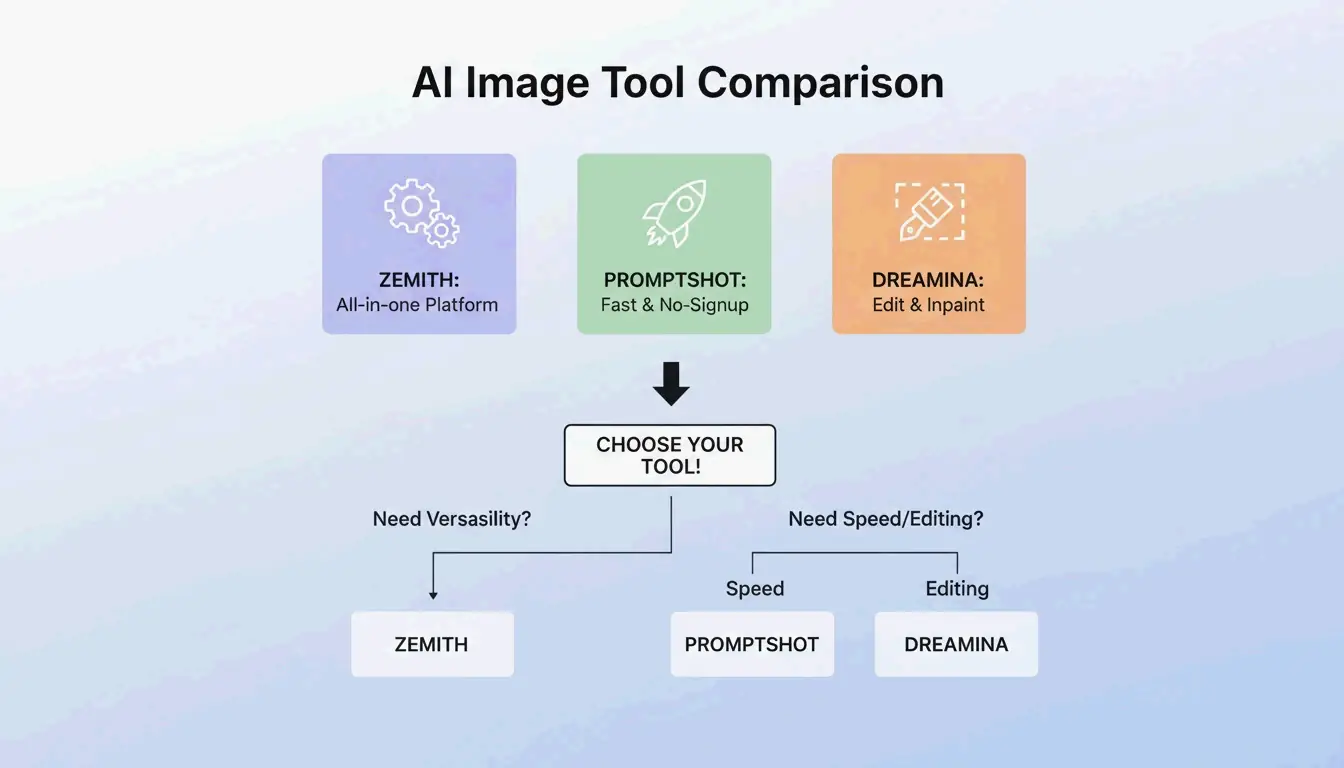
BeConverter مقابل Zemith مقابل PromptShot: مقارنة الأدوات (2026)
| الميزة | BeConverter | Zemith | PromptShot AI |
|---|---|---|---|
| أوضاع التحليل | CLIP + DeepDanbooru | متعدد النماذج (25+) | تمرير واحد |
| أرصيد مجانية يومية | نعم | 100 | غير محدود |
| يتطلب تسجيل | لا | نعم | لا |
| الأفضل لـ | عزل الرموز | سير عمل شامل | استخراجات سريعة |
| صيغة المخرجات | وصفية + وسوم | مخصصة للنموذج | سلسلة أوامر |
خيارات إضافية تستحق الذكر:
- Zemith — أكثر من 30,000 مستخدم حتى عام 2026. وفقاً لـ Zemith، يدعم أكثر من 25 نموذجاً بما فيها GPT-5.5 مع 100 رصيد يومي.
- PromptShot AI — لا حاجة لحساب. يقدم PromptShot AI عملية من 5 خطوات مصممة للمبدعين الذين يحتاجون إلى “إعادة إنشاء وتحسين” الفن المولّد بالذكاء الاصطناعي بسرعة.
- Dreamina (GPT Image 2) — توليد وتحرير في نافذة واحدة. وفقاً لـ Dailyhunt، يدعم نموذج GPT Image 2 الطلاء الداخلي وتعديلات الإضاءة مباشرة بعد توليد الأمر.
الخلاصة
الهندسة العكسية للأوامر باستخدام BeConverter تحوّل أي صورة مرجعية إلى أمر AI مُهيكل وقابل لإعادة الاستخدام في ثوانٍ. ارفع صورتك، واستخرج الرموز الأسلوبية باستخدام CLIP أو DeepDanbooru، واعزل السمات الفنية، والصقها في المولّد الذي تختاره. للحصول على أفضل النتائج،كيّف صيغة الأمر مع النموذج المستهدف—مجرد لـ Midjourney، وحرفي لـ FLUX، ومبني على الوسوم لـ Stable Diffusion—وأضف دائماً أوامر سلبية للحفاظ على جودة المخرجات.
الأسئلة الشائعة
هل يمكن للهندسة العكسية للأوامر استعادة الأمر الأصلي الدقيق الذي استخدمه منشئ آخر؟
لا. إنها تُعيد بناء تقريب وصفي بناءً على التحليل البصري. نماذج VLM المختلفة تعطي أولويات لسمات مختلفة، لذا فإن المخرجات هي إعادة بناء عالية الجودة—وليست بيانات وصفية مخفية أو استعادة لضغطات المفاتيح.
هل تعمل تقنية تحويل الصورة إلى أمر على صور الهواتف الذكية الحقيقية؟
نعم. يشير PromptsEra إلى أن نماذج VLM يمكنها تحديد سمات العالم الحقيقي مثل “إضاءة الساعة الذهبية” أو عدسات كاميرا محددة وترجمة تلك الأنسجة إلى أوامر لإعادة التفسير الفني.
هل استخدام الأوامر المستخرجة من أعمال فنية محمية بحقوق الطبع والنشر قانوني؟
الأوامر هي سلاسل نصية قصيرة ولا تخضع عادةً لحقوق الطبع والنشر. النهج الأخلاقي هو استخراج الرموز الأسلوبية لإثراء عملك الأصلي. كما يشير PromptsEra، فإن محاولة النسخ الدقيق لشخصية محمية قد تخلق مشاكل قانونية—استخدم هذه الأدوات لتعلم التقنيات، وليس للنسخ.
SectoJoy
• Indie Hacker & DeveloperI'm an indie hacker building iOS and web applications, with a focus on creating practical SaaS products. I specialize in AI SEO, constantly exploring how intelligent technologies can drive sustainable growth and efficiency.