كيف تستمع إلى المقالات: 7 أفضل طرق للاستماع إلى الويب في 2026
الاستماع إلى المقالات في عام 2026 يعني استخدام أدوات مدعومة بالذكاء الاصطناعي مثل Speechify (أكثر من 1,000 صوت، سرعة 4.5x) أو تحويل النص إلى كلام المدمج في المتصفح مثل Edge Read Aloud (مجاني، أصوات طبيعية). تقنية تحويل النص إلى كلام العصبية الحديثة تجعل المقالات تبدو كبودكاست احترافي — مع ميزات ذكاء اصطناعي حوارية للأسئلة والأجوبة في الوقت الفعلي.
مقارنة 7 طرق
| # | الأداة / الطريقة | التكلفة | الأفضل لـ | السرعة القصوى |
|---|---|---|---|---|
| 1 | Speechify | مجاني مدفوع | الإنتاجية الاحترافية، دعم تنسيقات متعددة | 4.5x |
| 2 | Noa (News Over Audio) | اشتراك | الصحافة المختارة (FT، Bloomberg، NYT) | 2x |
| 3 | تحويل إلى بودكاست | متفاوت | ملفات PDF، المستندات الطويلة، الطلاب | 2–3x |
| 4 | Edge Read Aloud | مجاني | الاستماع السريع في المتصفح، أفضل الأصوات المجانية | 2x |
| 5 | Chrome “Listen to this Page” | مجاني | تصفح الويب على الجوال | 2x |
| 6 | News in Levels | مجاني | متعلمي الإنجليزية (3 مستويات صعوبة) | قابل للتعديل |
| 7 | Pocket / Instapaper | مجاني مدفوع | اقرأ لاحقًا مع مزامنة صوتية | 2x |
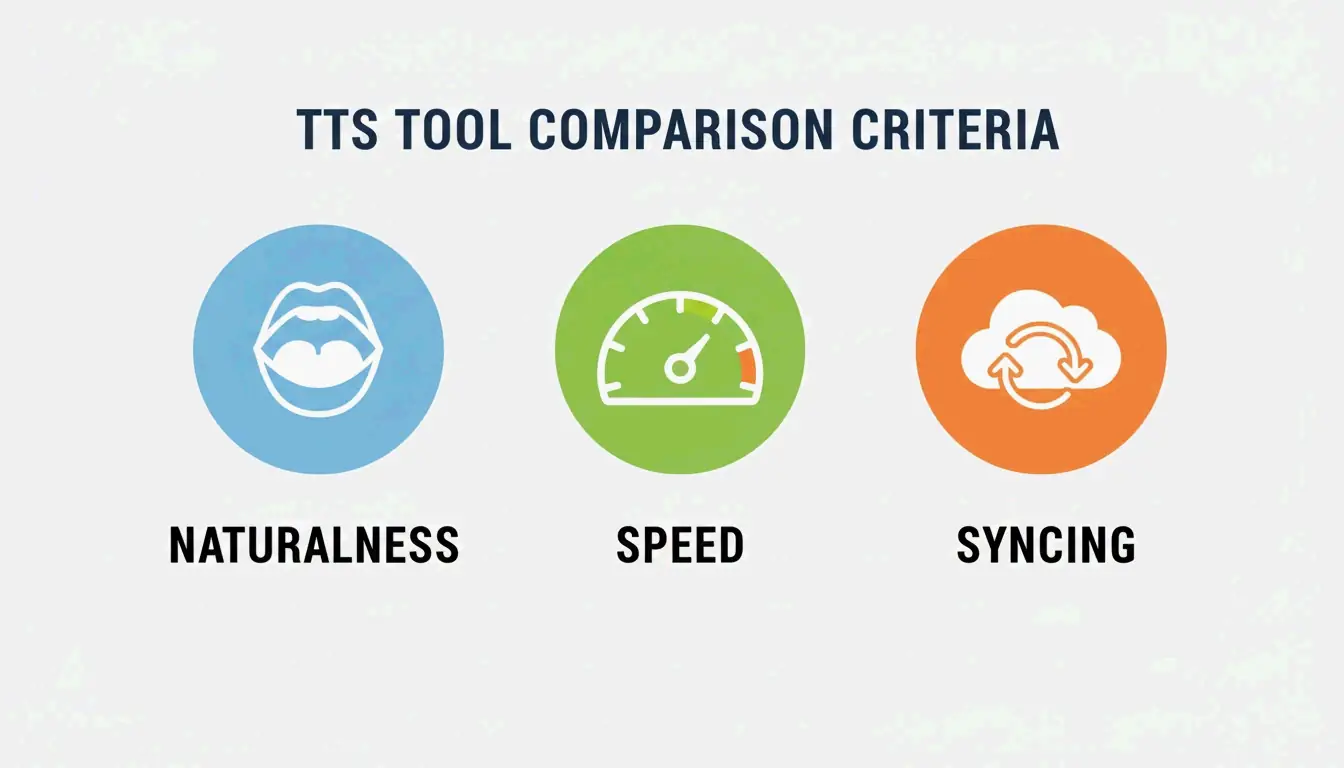
معايير التقييم
| العامل | ما الذي يجب التحقق منه | السبب |
|---|---|---|
| طبيعية الصوت | نماذج عصبية مع مشاعر وإيقاع | يتعامل مع المصطلحات التقنية، يبدو كبودكاست |
| نطاق السرعة | حتى 4.5x بدون تشويه | خبير الإنتاجية Ali Abdaal يدعو إلى الاستماع السريع للتعلم الفعال |
| المزامنة بين الأجهزة | تتبع التقدم من سطح المكتب ↔ الجوال | التبديل السلس بين الأجهزة |
الطريقة 1: Speechify — الرائد
وفقًا لـ Speechify: 55 مليون مستخدم، أكثر من 1,000 صوت، دعم أكثر من 60 لغة.
| الميزة | التفاصيل |
|---|---|
| المنصات | iOS، Android، Mac، Windows، Chrome |
| تنسيقات الإدخال | ملفات PDF، رسائل البريد الإلكتروني، مقالات الويب، صور نصية |
| أصوات المشاهير | Snoop Dogg، Gwyneth Paltrow، والمزيد |
| ميزات جديدة 2026 | الكتابة الصوتية (إملاء أثناء الاستماع)، الإجابات السريعة (اختبارات ذكاء اصطناعي) |
| السرعة | حتى 4.5x مع نطق واضح |
الطريقة 2: Noa — الصحافة المختارة
Noa يقدّم مقالات مروية بشريًا من ناشرين متميزين.
| الميزة | التفاصيل |
|---|---|
| المصادر | Financial Times، Bloomberg، The Economist، NYT |
| الاختيار | محررون بشريون ينشئون “سلاسل” مواضيعية (مثلًا، “حالة الذكاء الاصطناعي في 2026”) |
| الأفضل لـ | الصحافة الاستقصائية، تغطية المواضيع من منظورات متعددة |
الطريقة 3: تحويل إلى بودكاست
حوّل المستندات الطويلة إلى صوت منظم مع مقدمة وملخص وسرد للمقدم.
| الميزة | التفاصيل |
|---|---|
| الإدخال | مستندات قانونية من 50 صفحة، مجلات طبية، أوراق بحثية |
| الإخراج | MP3 أو خلاصة RSS خاصة لمشغلات البودكاست |
| استنساخ الصوت | سجّل ثوانٍ من صوتك ← استخدمه كراوٍ |
| إمكانية الوصول | دعم عسر القراءة وضعف البحث بأصوات مألوفة |
أنشئ نشرة صوتية يومية (سير عمل احترافي)
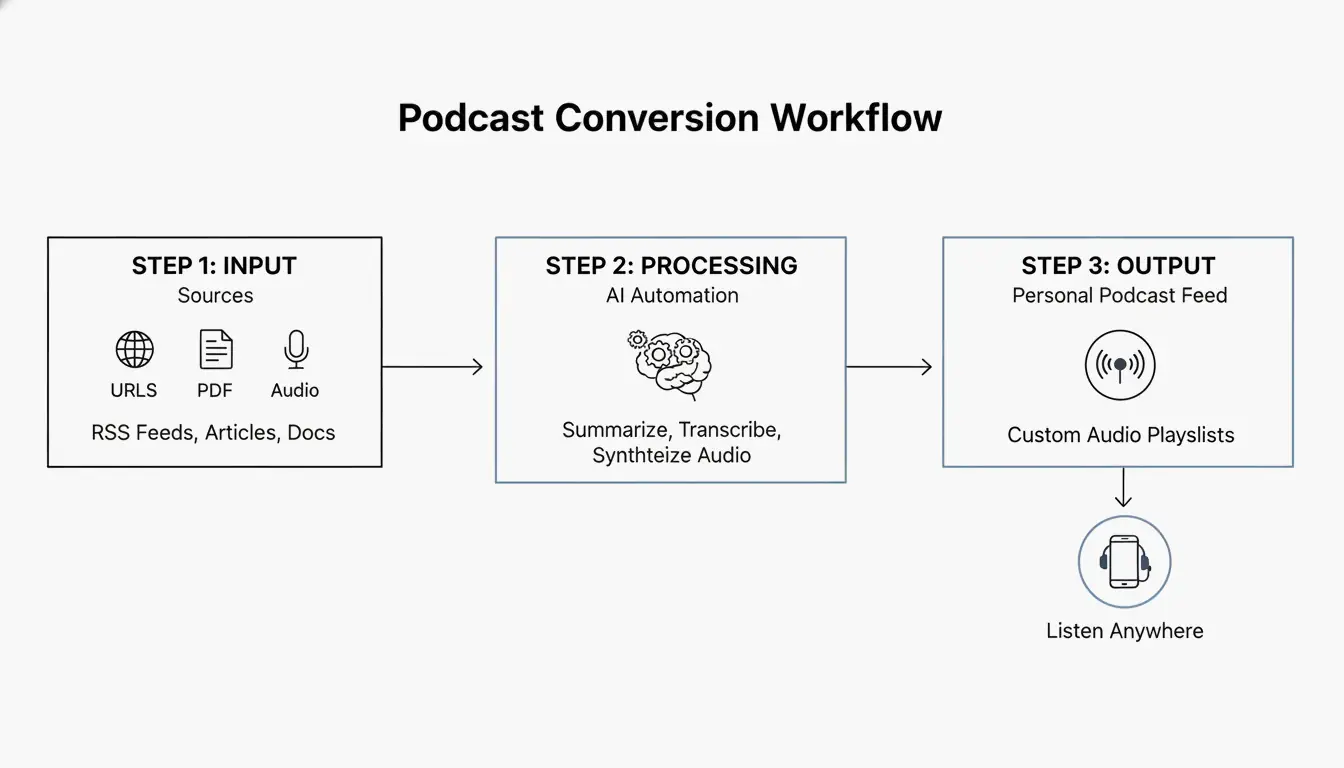
- اجمع — وجّه خلاصات RSS والنشرات الإخبارية والروابط المحفوظة إلى قائمة انتظار واحدة
- لخّص — الذكاء الاصطناعي يُنشئ ملخصًا تنفيذيًا مدته 5 دقائق (مثل “The 7” من Washington Post — نشرة يومية مدتها 10 دقائق)
- استمع — خلاصة صوتية خاصة تعمل كمحطة راديو مخصصة
- اسأل — ميزة “اسأل أثناء الاستماع”: قاطع للحصول على سياق، ثم استأنف
الخيارات المجانية: تحويل النص إلى كلام المدمج في المتصفح
| المتصفح | الميزة | الصوت | بدون إنترنت |
|---|---|---|---|
| Microsoft Edge | Read Aloud | أصوات طبيعية (مجانية) | مع حزم اللغات |
| Google Chrome (جوال) | “Listen to this page” | لهجات إقليمية متعددة | يتطلب اتصالًا |
| macOS/iOS | Spoken Content (إمكانية الوصول) | أصوات النظام | نعم |
| Android | Select to Speak | أصوات Google TTS | مع حزم اللغات |
الخلاصة
لـأقصى إنتاجية، استخدم Speechify بسرعة 4.5x. لـالصحافة المختارة، استخدم Noa. لـالاستماع المجاني، Edge Read Aloud يوفر أفضل الأصوات الطبيعية. ابدأ بتثبيت إضافة متصفح وحوّل رحلة تنقلك القادمة إلى جلسة تعلم.
الأسئلة الشائعة
هل يمكنني الاستماع إلى المقالات بدون إنترنت؟
نعم — Speechify و Noa يدعمان التنزيل بدون إنترنت عبر Wi-Fi. تحويل النص إلى كلام في المتصفح (Edge، Chrome) يحتاج عادةً إلى اتصال نشط ما لم تنزّل حزم لغات محلية من خلال إعدادات النظام.
كيف أحوّل ملف PDF إلى بودكاست؟
ارفع ملف PDF إلى Speechify أو أداة تحويل إلى بودكاست ← استخدم الذكاء الاصطناعي لإنشاء نص ملخص ← اختر “تصدير إلى بودكاست” أو “إنشاء ملف صوتي” ← احصل على MP3 أو خلاصة RSS خاصة لأي مشغل بودكاست.
هل توجد أصوات ذكاء اصطناعي مجانية تبدو طبيعية؟
نعم. ميزة “Read Aloud” في Microsoft Edge توفر أصواتًا طبيعية مجانية تنافس الخدمات المدفوعة. ميزة “Listen to this page” في Chrome للجوال توفر أيضًا سردًا عالي الجودة. للمستخدمين التقنيين، يمكن لنماذج تحويل النص إلى كلام مفتوحة المصدر على Hugging Face إنشاء صوت عالي الجودة بدون اشتراك.
SectoJoy
• Indie Hacker & DeveloperI'm an indie hacker building iOS and web applications, with a focus on creating practical SaaS products. I specialize in AI SEO, constantly exploring how intelligent technologies can drive sustainable growth and efficiency.